
Record income in context
Revenue from relevant cash receipts is entered in the cash book, including services sold independently of reservations.
CASH HANDLING
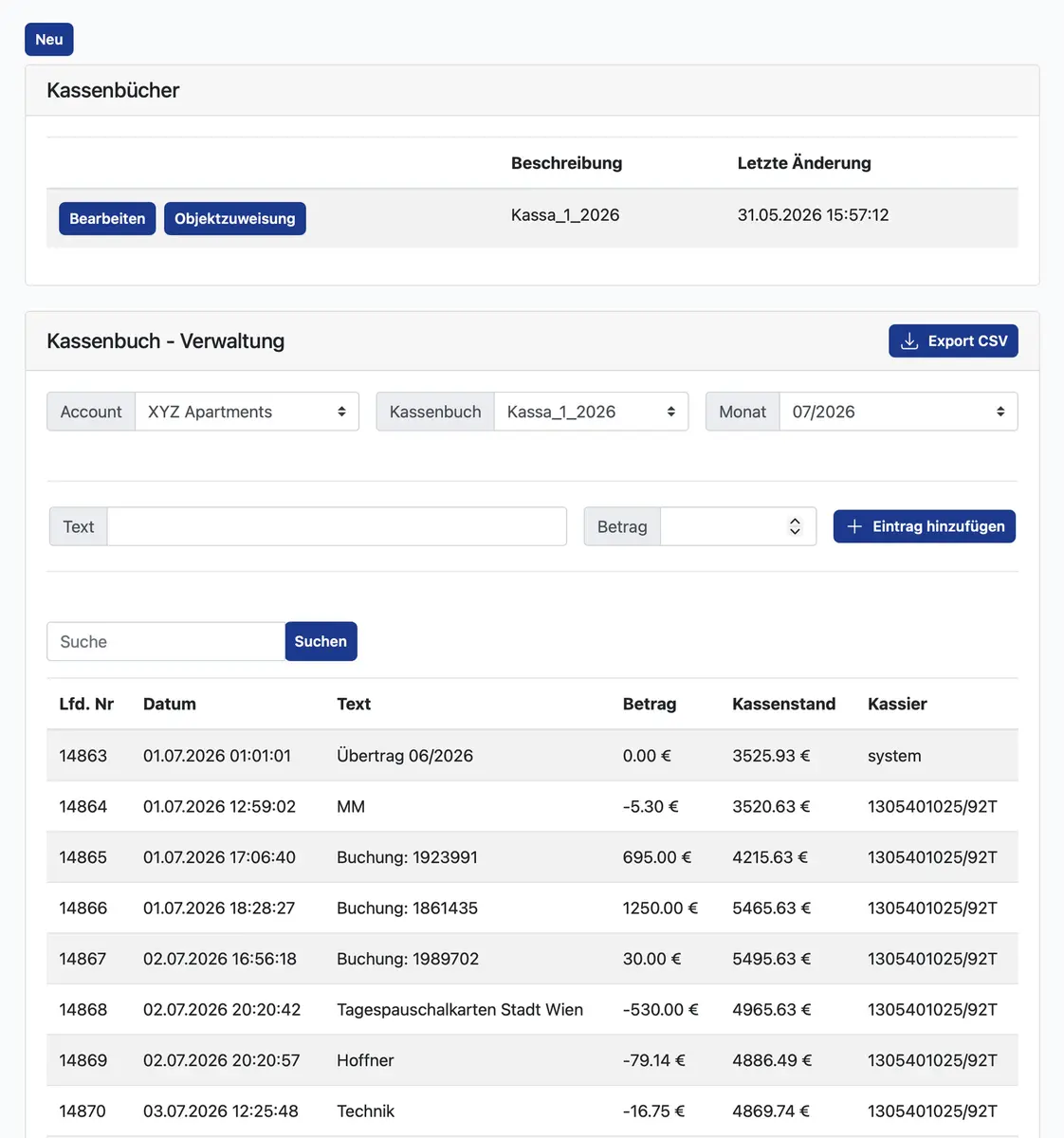
Daily income and expenses extend beyond room nights. The cash book in my-bookings helps you record cash movements in an organised way and prepare them for further accounting work.
An extra sale, a cash expense and several changes of shift can leave information in different places. Matching those records afterwards creates avoidable administration.
Revenue from relevant cash receipts is entered in the cash book, including services sold independently of reservations.
You can manually enter expenses, such as office supplies, to keep them within the same overview.
Monthly CSV and PDF exports make it easier to pass information to your accounting team or tax adviser.
FINDING YOUR RIGHT WORKFLOW
We discuss which cash registers or business areas should be managed separately.
Receipt-related income and additional expense entries form your ongoing cash record.
Check the entries and export the records needed for further processing.
A single my-bookings account can contain several cash books. This is useful when you run multiple locations or distinct business activities. The software supports recording and organisation; checking transactions and fulfilling business obligations remain part of your process.
BEFORE YOU DECIDE
A new system should make your day easier. Here are answers to the questions we hear most often.
Yes. Multiple cash books allow separate records within one my-bookings account. We agree a structure that suits your organisation.
Monthly export options include CSV and PDF. Ask your adviser which format best fits their process and whether any additional information is needed.
YOUR PROPERTY. OUR NEXT CONVERSATION.
Show us how you work today. We’ll show you which workflows my-bookings can connect for your property.
